5.2. Letter of Credit Risk Analysis Engine (LEO)
LEO reads the Letter of Credit (L/C) you received and finds the conditions that could stop you from being paid if you proceed as-is. Run it from the project documents screen: Analyze Documents → LC Discrepancy Check (LEO).
1. What LEO Catches for You
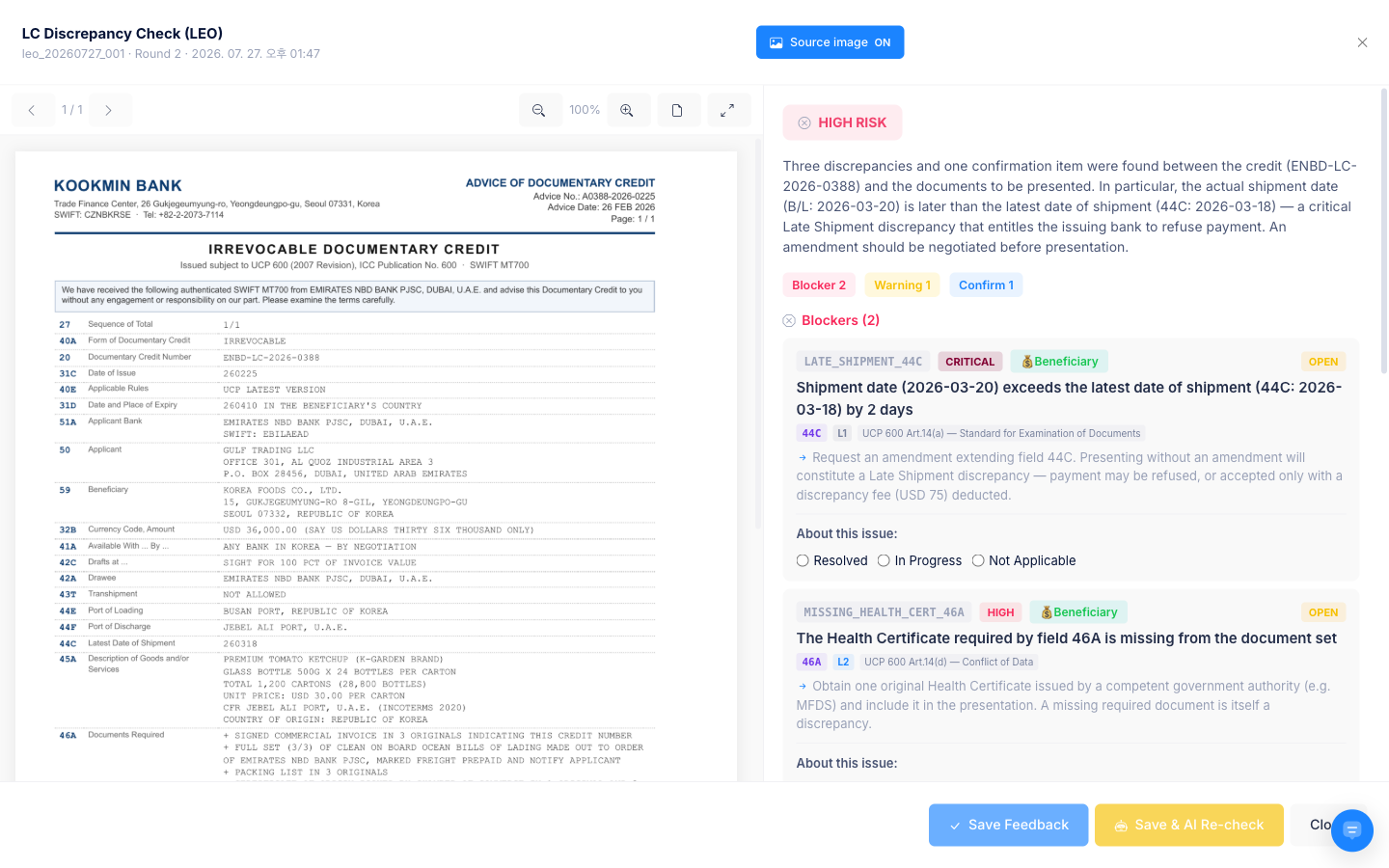
- Deadlines you can't meet — shipment dates and document presentation periods that don't fit your real schedule. For example, a latest shipment date equal to the expiry date, which leaves no time to present documents if you ship on the last day
- Clauses that load cost or conditions onto one side — clear-cut items such as who bears the bank charges
- Requirements unfavourable to the exporter — document demands that don't say what actually has to be produced
- Combinations that don't fit the SWIFT credit format — a draft tenor (42C) with no drawee (42a), or a sight-payment credit that asks for a usance draft — the kind of combination a bank's system would reject
- Conditions hidden in Additional Conditions (47A) — wording that lets the credit amount rise or fall automatically with a price clause, a payment time different from the draft tenor, a document demanded in 47A that isn't in Documents Required (46A), or wording that changes the presentation period
- Credits that expire at the issuing bank's side — documents must reach the issuing bank by the expiry date, so the real presentation time shrinks by the courier time
- Wording banks could read differently — these aren't judged outright; LEO asks you about them as clarification items
LEO takes the mode of transport and differences in wording into account. It doesn't warn about a missing bill of lading (B/L) for air, truck or warehouse-delivery terms, and it reads old-style values such as
PERMITTED/PROHIBITEDand banks' different date and amount formats as meaning the same thing.
The AI looks for evidence against its own findings before reporting, which cuts down on false alarms. When that extra review lowers an item's risk, it is marked Risk level downgraded.
Running it and reading the result
- Run Analyze Documents → LC Discrepancy Check (LEO). You'll see "LEO LC analysis has been requested. You'll be notified when it completes", and the screen moves from Requested to Main review in progress. You can leave the page and come back — the run continues.
- When Pre-screening complete — answer required appears, answer the items under Clarification Needed and press Proceed to Review. If you can't answer now, use Answer Later.
- In the report, check the basis for each finding with View clause text and View dispute case. Regulation texts are copyrighted, so they link out to the official ICC channels.
- If an item isn't actually a problem in your case, use Report False Positive, or write the reason and press Save & AI Re-check to have just that item judged again.
💬 Asking Lyra "Analyze the risk of this LC" starts the same analysis.
What to do when a discrepancy is found
- Don't just proceed. A single condition out of line is enough for a bank to refuse payment.
- On the document screen, write what needs to change under Request Amendment; you can then compose the amendment request email to the issuing bank.
- Items that documents or schedules can settle: answer the Clarification Needed questions and run the review again — they move into the resolved items.
1-1. LEO Troubleshooting (FAQ)
- Q: "The L/C passed with no findings — could problems still come up later?"
- A: LEO first catches conditions with clear-cut criteria, such as dates and figures. Contextual risks like the nuance of a particular phrase are handled by the CYGNUS regulation analysis, so it's safest to read both results together.
- Q: "There are far too many warnings on the analysis screen."
- A: The L/C conditions depart from international standards (UCP 600 and the like) or are written heavily against the exporter. Don't ignore them and proceed — use the report as your basis to request an amendment from the issuing bank. Items flagged in error can be cleared with Report False Positive.
- Not every item is a confirmed discrepancy. Some, such as hidden 47A conditions or the place of expiry, are risk notices asking you to recheck the deal terms. If the condition matches what you agreed in the contract, you can go ahead.
- Q: "Can we replace the check rules with our own company's stricter standards?"
- A: Not yet. LEO checks against international standard regulations. Company-specific circumstances can be entered as answers to the Clarification Needed items, and the judgment is redone with them taken into account.